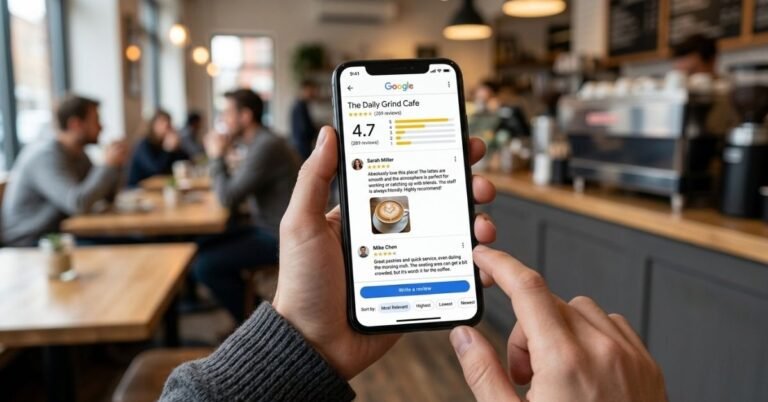
You’ve opened a blank message to a customer three times this week and closed it each time. You know you should ask for a review. You don’t know how to word it without sounding needy.
Good wording makes it much easier to get 5 Star Google Reviews in Australia, and it’s simpler than you’d think. The requests customers answer are short, name the job you did, ask for an honest review, and carry one link. Below are seven templates you can copy today.
We write and send these for Australian businesses at BuyReviews. These are the versions we’d start with.
What makes a review request work?
Four things, in this order. Say who you are. Thank the customer and name the job. Ask for an honest review. Give the link on its own line.
That’s it. In our experience, most requests fail because they’re too long or too vague, not because the customer was unwilling. A message that reads like a newsletter gets treated like one.
What do you say in person?
Start here, because a spoken yes makes every message after it work better.
Template 1: In person
“Thanks for having us today. Would you mind leaving us a Google review? Can I text you the link?”
It’s two questions for a reason. The first asks the favour. The second gets the customer’s permission to message them, which you need under Australia’s spam rules.
What’s a good SMS review request?
A text should fit on one phone screen. Send it within an hour of finishing the job.
Template 2: SMS on the day
Hi [First name], it’s [Your name] from [Business name]. Thanks for having us out to [job] today. If you have a minute, we’d appreciate an honest Google review: [link]. Reply STOP to opt out.
Template 3: SMS reminder, one week later
Hi [First name], [Your name] from [Business name] again. No pressure at all. Here’s that review link in case it’s handy: [link]. Thanks either way. Reply STOP to opt out.
Send the reminder once. A second reminder starts to feel like chasing, and we’ve never seen it help.
What’s a good review request email template?
Email gives you a little more room. Use it when you already send invoices or updates that way.
Template 4: Standard email
Subject: Thanks from [Business name]
Hi [First name],
Thanks for choosing us for [job]. We hope you’re happy with how it turned out.
If you have a minute, would you leave us an honest review on Google? It helps other locals decide.
[Your Google review link]
Thanks again,
[Your name]
To stop emails from us, reply with “unsubscribe”.
Template 5: Email after a long project
Subject: Your [project] is finished
Hi [First name],
It’s been a pleasure working on your [project] over the past [number] weeks. Thank you for trusting us with it.
Now that it’s complete, would you share your honest experience in a Google review? Future customers find it useful to hear how a longer job went.
[Your Google review link]
Kind regards,
[Your name]
To stop emails from us, reply with “unsubscribe”.
Put the link on its own line in both. A link buried in a sentence gets missed.
How do you reply when a customer thanks you?
This is the easiest request you’ll ever make. The customer has already written the kind words.
Template 6: Reply to a thank-you message
That’s great to hear, [First name]. Thank you! Would you mind sharing that in a Google review? Here’s the link: [link]. It would mean a lot to our small team.
Send it straight away, while they still have their phone in hand.
What should you put on a counter sign?
For shops, cafes and clinics, a sign with your QR code does the asking for you.
Template 7: Counter or receipt wording
How did we go today? Scan to leave an honest Google review. Thank you for supporting [Business name].
Keep the sign free of any offer. “Review us for 10% off” breaks Google’s rules, even when the customer is real.
What should every template leave out?
Leave out rewards. Google bans discounts, gifts and prize draws in exchange for reviews.
Leave out “five stars”. Google wants reviews to be honest and objective, so ask for an honest review and let the customer choose the rating.
And don’t give customers the words to write. The ACCC says a review should reflect the real opinion of the person who used the service. A light prompt like “even a line about what we did is plenty” is fine. A script isn’t.
How do you set the templates up, step by step?
Ten minutes now saves you typing after every job.
- On a computer, sign in to the Google account that manages your Business Profile and search your business name.
- Select Read reviews, then Get more reviews, then Copy. Google provides this link, so you don’t need a Google review link generator.
- Right-click the QR code and choose Save image as if you want the counter sign.
- Paste the link into Templates 2, 3 and 6, and save them on your phone as text shortcuts or notes.
- Save Templates 4 and 5 as email drafts or canned responses.
- After each job, fill in the name and the job, then send.
- Once a week, send reminders and reply to new reviews.
Step 7 matters as much as the templates. When a critical review arrives, respond to negative Google reviews within a day. If a review comes from someone who was never a customer, select the three dots and Report review, which is how you remove fake Google reviews properly.
If you’d like this done for you, BuyReviews can send the requests. You share your customer list, we personalise and send each message with your business named and an opt-out included, and customers write their own reviews. It’s how we help clients get Google reviews and improve Google reviews steadily. Good templates are a small part of online reputation management in Australia, but they’re where how to get more Google reviews usually starts.
Frequently asked questions
What should I write when asking for a Google review?
Keep it to four parts: who you are, a thank you that names the job, a request for an honest review, and your Google review link on its own line. Add a simple way to opt out. Two or three sentences is enough. The link does the heavy lifting, so make it easy to tap.
Should I use the customer’s name in the request?
Yes, along with the specific job you did. ‘Hi Maria, thanks for having us fix the gate today’ feels personal and reminds the customer what went well. A message with no name or detail looks like a mass mail-out, and people treat it that way. It takes ten seconds and is worth it.
Can I ask for a 5-star review in the template?
We’d leave it out. Google wants reviews to be honest and objective, and asking for a set rating can feel pushy. Ask for an honest review instead. In our experience, customers who were happy give five stars without being told to, and the review reads as their own opinion.
How long should a review request be?
Short. A text should fit on one phone screen without scrolling, which means two or three sentences. An email can run to four or five short lines. If the customer has to hunt for the link, the message is too long. Cut anything that isn’t the thanks, the ask or the link.
Do I need an unsubscribe line in a review request?
It’s the safe choice in Australia. The ACMA requires commercial emails and texts to identify the sender and include a way to unsubscribe, and a review request may count as one. Add ‘Reply STOP to opt out’ to texts and an unsubscribe line to emails, and act on requests within five working days.
What should you do next?
Copy Template 2, paste in your review link, and save it on your phone now. Send it to the next customer you finish a job for.
If you’d like every request written and sent for you, share your customer list with BuyReviews and we’ll help you get Google reviews with messages your customers will answer.