Why “cheap” doesn’t have to mean low quality
A cheap Laser Cutter today typically ranges from $400 to $1,500, covering open-frame diode kits and enclosed beginner-friendly machines.
Within this range, users can still:
- Engrave wood and leather
- Cut thin plywood or acrylic
- Produce small-batch custom products
The key is value per dollar. A well-maintained 20W diode machine with proper ventilation and calibration can outperform a poorly configured higher-end unit.
However, trade-offs still exist:
- Lower wattage → slower cutting speeds
- Limited ability to cut thick acrylic or hardwood
- More manual setup required
Choosing a machine with reliable support, spare parts availability, and firmware updates ensures long-term usability.
Budget-friendly laser cutter features that matter most
Safety
Safety should be your first priority:
- Enclosed design (recommended for indoor use)
- Flame detection
- Proper ventilation system
Power
Realistic expectations:
- 10–20W diode → engraving + light cutting
- 20W diode (e.g., Falcon A1 Pro) → balanced for beginners
- Higher wattage diode ≠ CO₂ performance
Software Compatibility
Most entry-level machines support:
- SVG / PNG workflows
- Beginner-friendly software
- Third-party tools like LightBurn
Support & Warranty
Look for:
- US-based customer support
- 6–12 month warranty
- Available spare parts
Comparing Top Affordable Models
| Model | Power | Work Area | Strength |
| Creality Falcon A1 Pro | 20W diode | Compact enclosed | Safe, beginner-friendly, all-in-one |
| xTool F1 | 10W diode + IR | Small portable | Fast engraving, portable use |
| Ortur Laser Master 3 | 10–20W diode | ~400×400 mm | Open-frame flexibility |
| Atomstack A10 Pro | ~10W diode | ~400×400 mm | Budget-friendly entry option |
These machines serve different needs:
- Enclosed machines → safer for indoor use
- Open-frame → more flexible but less safe
- Portable machines → engraving-focused
Cost-saving strategies
- Look for bundle deals (air assist, honeycomb bed)
- Consider refurbished units from US warehouses
- Use seasonal discounts (Black Friday, etc.)
Ongoing costs:
- Replacement lenses: $20–$100
- Filters & airflow components
- Belts and maintenance parts
Routine maintenance ensures long-term performance.
Creality Falcon Best-Fit Pick
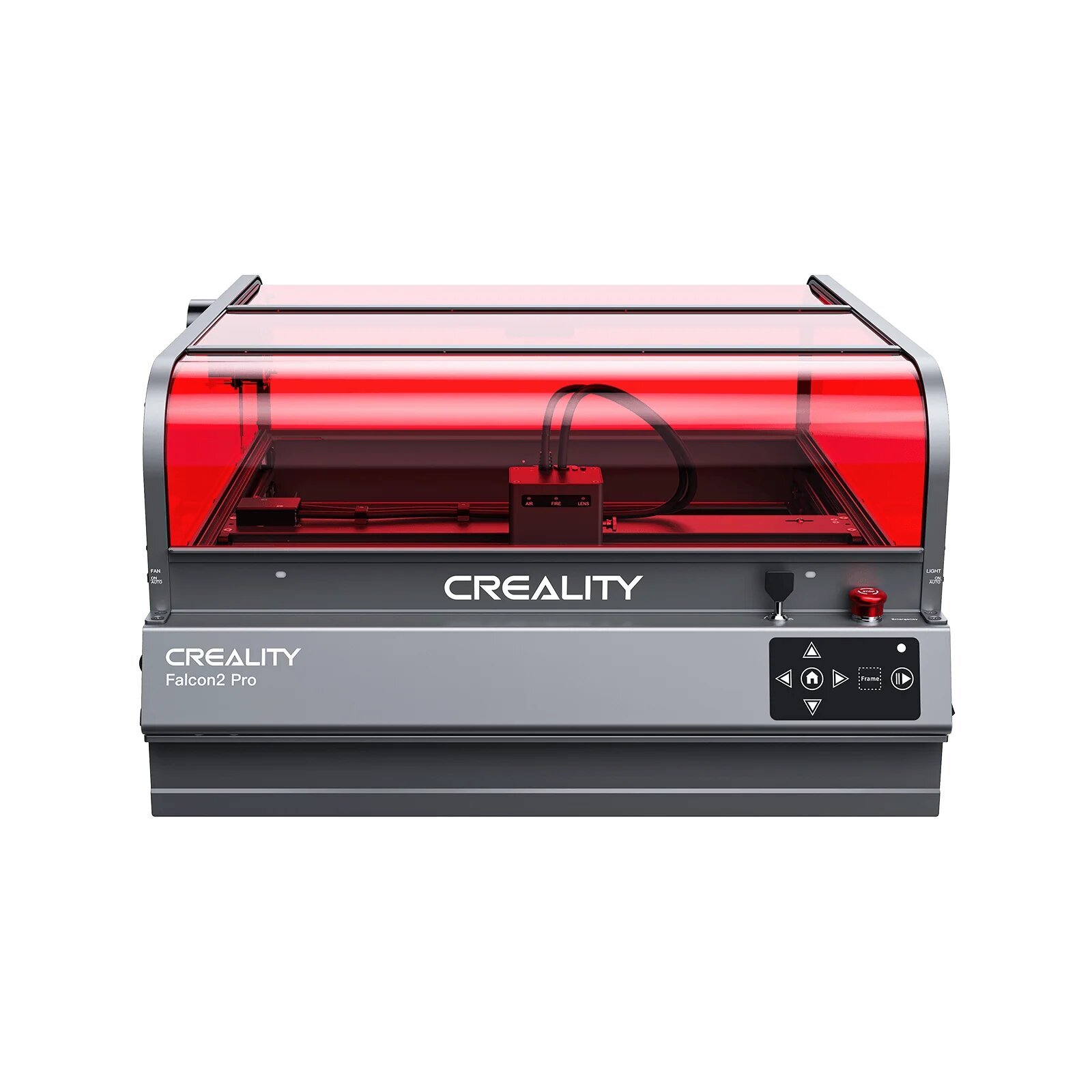
The Creality Falcon A1 Pro is a strong choice for users looking for an affordable, safe, and beginner-friendly laser cutter.
Key advantages:
- 20W enclosed diode design → safer for indoor use
- Auto-focus system → reduces setup errors
- Compact footprint → suitable for home or small shop
- Wide material compatibility → wood, leather, acrylic (thin)
It is particularly suitable for:
- Hobbyists
- Etsy sellers
- Small-scale production
Setting up your cheap laser cutter
Before use:
- Ensure proper ventilation
- Use a stable work surface
- Connect to a dedicated power outlet
Beginner workflow:
- Run test engravings
- Adjust speed/power gradually
- Use scrap material first
- Monitor cutting quality
Simple upgrades:
- Air assist
- Better exhaust system
Long-term success: upgrades & resale
Extend machine lifespan with:
- Regular maintenance
- Lens cleaning
- Belt adjustment
Upgrade options:
- Air assist kits
- Camera alignment systems
- Improved cooling
Well-maintained machines retain better resale value in maker communities.
Final decision checklist
- Budget includes machine + accessories
- Use case is clearly defined
- Safety setup is complete
- Support and warranty confirmed
- Shipping & region compatibility checked
Final Thoughts
A cheap laser cutter doesn’t mean low performance—it means making smart trade-offs.
For most US users, a machine like the Creality Falcon A1 Pro provides the right balance of:
- Safety
- Ease of use
- Practical performance
It’s a reliable entry point for both hobbyists and small business owners.